
8 Manufacturing ERP features explained
If you're comparing manufacturing ERP software, module and feature overlap can make your requirements-gathering all the more difficult. Read on for explanations of the eight core manufacturing ERP modules and features you'll encounter in most systems, including what they actually do, and why they matter to your day-to-day operations.
Supply chain management
Your supply chain includes all the links that supply your business with materials.
Take wire, for instance: one company extrudes metal from an ingot; another smelts the copper to produce that ingot; another mines the ore. Each item you buy has its own chain behind it, and your business sits inside your customers' chains too. Third parties like freight carriers and third-party logistics providers add more complexity.
Your SCM module should give you a clear view of that whole network and help you coordinate each link. When a supplier is late, you need to see the knock-on effect immediately, not discover it when the production line stops.
Order management
"Orders" combine categories of supply and demand. A sales order records a customer's request: a specific quantity, by a specific date. A purchase order goes the other direction in that it's your request to a supplier for component materials.
Your order management module should be able to track these throughout their lifecycle, flag problems early, and feed the metrics you need for forecasting. If your current system makes you manually reconcile sales orders against purchase orders, that's a sign you've outgrown it.
Kitting and Fulfilment
Kitting is how raw materials get from your warehouse to the shop floor. When a production order is released, someone has to pick the right components from the right bins and deliver them to manufacturing. Depending on how your operation runs, that might mean delivering all materials at once, or staging them operation by operation.
Fulfilment is a similar process, but on the outbound side: picking finished goods from warehouse bins to ship against customer orders.
These features (as part of the broader inventory/warehouse management module) should manage both processes, track what's been picked, and flag any shortages before they hold up production or delay a shipment.
An important note before we continue:
MTO and MTS (below) are production strategies rather than modules or features; your ERP needs dedicated workflows for each, because the planning, procurement, and scheduling logic is different in each case.
Make to Order (MTO)
Make-to-order means you only build something once a customer has placed an order for it. This is common for custom or configured products.
MTO manufacturing has its own set of process requirements inside an ERP. Lead times need to be tracked per order, materials procured specifically for that job, and production scheduled around the promised delivery date. These workflows are distinct from those used in make-to-stock environments, so confirm that any system you evaluate handles both properly if your operation mixes the two.
Make to Stock (MTS)
Make to stock is the opposite: you manufacture to a forecast and hold finished goods in inventory, ready to ship when an order comes in. This works well for products with stable, predictable demand where the lead time customers expect is shorter than your production cycle.
The tradeoff is inventory risk. Your ERP helps manage that by monitoring stock levels, triggering replenishment when quantities drop below reorder points, and feeding demand signals back into the planning process.
Production planning
Planning is the ongoing job of keeping supply and demand in balance. A PO delivery is late; how do we need to react? A customer asks to place an unexpected order with an immediate delivery; can we satisfy his request?
Your manufacturing ERP's planning module surfaces these imbalances so the planner can act before they become crises. The system doesn't make decisions for you, but it does make sure you're looking at the right information at the right time. Without this, you're reacting to problems that a planner with better visibility could have prevented.
Scheduling
Scheduling is a subset of planning focused on capacity. Given your customer demand, your available materials, your machinery, and your workforce, what can actually be produced and when?
The scheduling tool helps you answer that. It identifies bottleneck operations (the ones that constrain your throughput) and keeps them loaded as efficiently as possible. It can route certain jobs to older equipment to free up higher-capacity machines for orders with tighter deadlines. Done well, scheduling is how you fulfil more orders without adding resources.
Lot and serial number tracking
Lot numbers and serial numbers are methods to identify specific units or batches of production. A serial number is assigned to a single, discrete unit of production. A lot number will be assigned to all the output today, or maybe only today’s output that was made from a particular batch of a supply ingredient.
Recommended download: Compare the top manufacturing ERP systems using our free guide
In regulated industries like aerospace, medical devices, food, and pharmaceuticals, traceability isn't optional. If a batch of wire turns out to be defective, the aircraft manufacturer needs to know immediately which aircraft were built using wire from that lot. That's only possible if the ERP tracked the lot number from goods receipt through production and into the finished product record.
Even outside regulated industries, lot and serial number tracking protects you. When a field failure happens, you need to know the scope of the problem quickly, and so does your customer.
A note on what to look for
The list above appears in most manufacturing ERP systems in some form, but not all at the same level of depth. The modules (supply chain, order management, and production planning) tend to be well-developed across most; it's the features within them (scheduling, kitting, lot tracking) that are where quality varies more.
Also, if your operation runs MTO alongside MTS, that's the first thing to test, as many systems specialise in one and bolt on the other.

Free white paper
Manufacturing ERP: 10 steps to success
Complete step-by-step guide to manufacturing ERP software

Featured white papers
Related articles
-
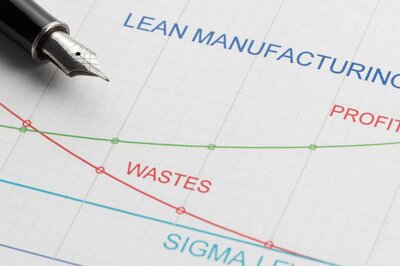
Lean manufacturing with ERP: a basic guide
In the right circumstances, ERP is compatible with lean manufacturing principles...
-

How the right ERP can help you launch a successful omnichannel business
Petersen Zhu, CEO of DigitBridge and Vibes Base, shares how to create a scalable omnichannel stra...
-
4 training tips for manufacturing ERP success
These four training tips will help your employees get the most out of your new manufacturing ERP ...